Cloud vs. Local Rendering: What Nobody Tells You About the True Cost of Getting Your Frames Done
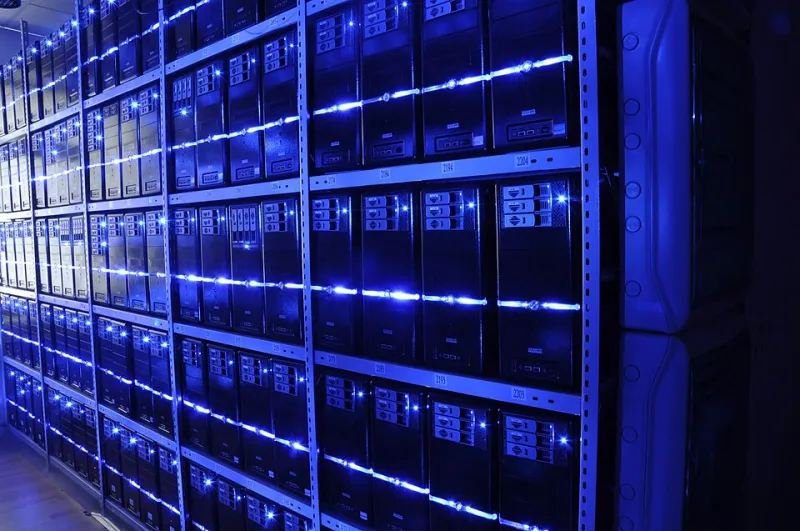
Photo: BalticServers.com, CC BY-SA 3.0, via Wikimedia Commons
Every Blender artist eventually hits the same wall. You're staring at a 300-frame animation, Cycles is estimating 45 minutes per frame, and you're doing the mental arithmetic that ends with a number that makes your stomach drop. So you start Googling render farms, see prices that look pretty reasonable at first glance, and figure the problem is solved.
Except it isn't. Not always. The real cost of rendering — whether you're pushing frames locally or shipping them off to the cloud — is almost never what it looks like on the surface. Let's actually run the numbers.
The Hidden Overhead Nobody Puts in the Brochure
Cloud rendering platforms like RebusFarm, Fox Renderfarm, and GarageFarm advertise pricing in GHz-hours or OctaneBench units, which sounds precise until you realize most artists have no idea how their scene maps to those metrics. A mid-complexity Cycles scene with a few thousand polygons, HDRI lighting, and a handful of Principled BSDF shaders might burn through credits faster than you expect — especially once you factor in:
- Upload and download time. If your project folder is 4GB and you're on a 50 Mbps upload connection (pretty typical for residential internet in the US), you're looking at over 10 minutes just getting your files to the farm. Multiply that by revision cycles.
- Scene preparation overhead. Packaging your .blend file, resolving missing textures, dealing with linked libraries — this is real time that doesn't show up on any invoice.
- Output file management. Downloading 300 EXR frames at 10–20MB each is a non-trivial bandwidth event, and some services charge egress fees on top of their compute costs.
None of this is a dealbreaker. But it's also not free.
What Local Rendering Actually Costs Per Frame
Let's take a concrete example. Say you're running a single RTX 3080 (a pretty common mid-to-high-end setup for serious hobbyists and small studios in the US right now). Your electricity cost is around the national average of $0.16 per kWh.
The 3080 pulls roughly 320W under full GPU load. At 320W and $0.16/kWh, you're spending about $0.05 per hour on electricity. If a frame takes 20 minutes to render, that's roughly $0.017 per frame in power costs. For a 300-frame animation, you're looking at about $5.00 in electricity — and your hardware is already paid for.
But hardware isn't free. That 3080 cost somewhere in the $700–900 range new. If you amortize it over three years of heavy use (say 1,500 hours of active rendering per year), you're paying about $0.16–0.20 per render hour in hardware depreciation, before electricity. Add it together and a rough local rendering cost lands around $0.21–0.25 per hour for that setup.
Cloud services vary wildly, but a typical mid-tier GPU node on a major farm runs $0.40–$1.20+ per GPU-hour depending on the hardware tier and platform. On paper, that's 2–5x the cost of local rendering — assuming your local machine is already paid off and sitting idle.
When Cloud Rendering Actually Wins
Here's where the math flips. Local rendering scales linearly with your hardware. You've got one GPU, you get one GPU's worth of throughput. The moment you're on a deadline and a client needs 1,000 frames by Friday morning, no single workstation is going to save you.
Cloud farms let you throw 20, 50, or 100 nodes at a scene simultaneously. That 300-frame job that takes your single 3080 roughly 100 hours? A 20-node farm finishes it in five. For commercial work where time has a dollar value — and it always does — that equation changes completely.
Cloud also wins when:
- You're between hardware generations. Renting compute is smarter than buying a GPU you'll replace in 18 months.
- Your project is a one-off. If you're rendering a single high-stakes client project and you don't do this regularly, the capital expense of a render machine is hard to justify.
- You're traveling or working remotely. Laptop users dealing with thermal throttling know this pain intimately.
The Hybrid Approach Most Working Artists Actually Use
The dirty secret of production pipelines at small studios and serious freelancers is that most people don't pick one or the other — they use both strategically.
A common workflow: run test renders and low-priority frames locally overnight, then push final beauty passes and animation sequences to the cloud when deadlines tighten. This keeps your cloud spend focused on work that actually needs the speed, while your local machine earns its keep during off-hours.
Some artists also build out a small local cluster — two or three machines networked together using Blender's built-in network rendering or tools like Flamenco (Blender's own open-source render management system). A two-machine setup doubles your throughput for the cost of a second mid-range GPU rig, which starts looking attractive once you're doing consistent volume.
Building a Decision Framework for Your Pipeline
Before you commit to either direction, ask yourself a few honest questions:
How often are you rendering? If it's a few personal projects a year, cloud wins on pure economics. If you're billing multiple clients per month, local infrastructure starts paying for itself.
What are your deadlines like? Tight turnarounds favor cloud. Flexible schedules favor local.
How complex are your scenes? Heavy simulation, high-poly sculpts, and volumetric effects eat render time aggressively. Know your scene's actual render cost before you commit to a delivery timeline.
What's your internet situation? Rural users or anyone stuck on asymmetric DSL should weight upload time heavily in their cloud cost calculations. Uploading a 10GB project folder on a 10 Mbps upload connection takes over two hours.
The Number That Actually Matters
At the end of the day, the metric that cuts through all of this is cost per deliverable frame — not cost per hour, not cost per sample. Calculate what a finished, comp-ready frame actually costs you in time, money, and stress under both scenarios. For most freelancers doing mid-size commercial work in the US, that number lands somewhere between $0.02 and $0.15 per frame locally, and $0.10 to $0.50 per frame on cloud depending on complexity and urgency.
The gap isn't always as dramatic as the cloud marketing makes it sound, but neither is local rendering as cheap as it feels when you're not accounting for your own time. Run your actual numbers. The right answer is probably not the one you assumed going in.